
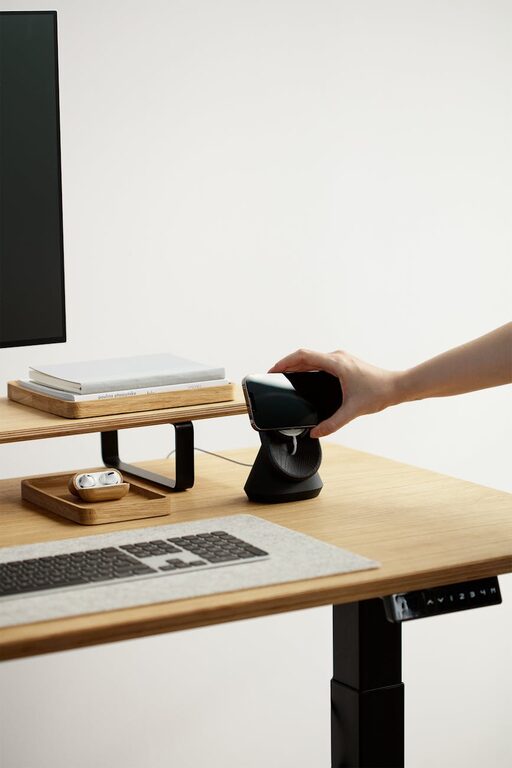
Creating a workspace that promotes focus and comfort is essential for anyone spending long hours at a desk. Whether you work from home, study, or simply use your desk for personal projects, the right setup can make all the difference. In this post, we’ll explore practical tips to help you design a desk layout that supports productivity, reduces strain, and feels inviting.
Why a Good Desk Setup Matters
A well-organized and ergonomic workspace can improve concentration, reduce fatigue, and prevent discomfort or injuries. When your desk is clutter-free and designed with your comfort in mind, you spend less time distracted and more time focused on your tasks.
Choosing the Right Desk and Chair
Desk Height and Surface
Select a desk with a height that allows your forearms to rest comfortably parallel to the floor when typing. A standard desk height is usually between 28 to 30 inches, but adjustable desks are a great option that lets you switch between sitting and standing positions.
Consider the desk surface size, too. You want enough space for your computer, notes, and any tools you need, without overcrowding the area.
Ergonomic Chair
Invest in a chair that offers good lumbar support, adjustable height, and comfortable cushioning. Your feet should rest flat on the floor, with knees at roughly 90 degrees. This posture helps reduce back pain and encourages better circulation.
Optimizing Monitor Placement
Eye Level Position
Place your monitor so the top of the screen is at or just below eye level. This position helps you maintain neutral neck posture and reduces eye strain.
Screen Distance
Keep the monitor about an arm’s length away—roughly 20 to 30 inches. This distance ensures comfortable viewing without causing you to lean forward or squint.
If you use a laptop, consider a stand and an external keyboard to achieve the right height and angle for your screen and wrists.
Organizing Your Desk for Efficiency
Declutter Regularly
A cluttered desk can be distracting. Keep only your essentials on the surface: your computer, a notebook, writing tools, and perhaps a few personal items like a plant or photo.
Use Storage Solutions
Desk organizers, drawer compartments, and shelves help keep papers and supplies tidy. Label containers for quick access, and make it a habit to put things away at the end of each day.
Cable Management
Tidy cables improve aesthetics and prevent tangling. Use clips, sleeves, or zip ties to bundle wires together and route them neatly behind or under your desk.
Enhancing Comfort with Lighting and Accessories
Natural and Task Lighting
Whenever possible, position your desk near a window to take advantage of natural light, which can elevate mood and energy. Complement this with a desk lamp that offers adjustable brightness and a flexible arm for focused task lighting.
Avoid harsh overhead lights or glare on your screen by positioning light sources thoughtfully.
Keyboard and Mouse Placement
Keep your keyboard and mouse close enough so your elbows stay near your body while typing or navigating. A wrist rest can provide additional support, reducing the risk of strain.
Add Supportive Accessories
Consider using a footrest if your feet don’t reach the floor comfortably. Monitor risers, document holders, and anti-fatigue mats are also beneficial additions depending on your setup.
Creating a Focus-Friendly Environment
Minimize Distractions
Choose a quiet spot for your desk if possible. Noise-canceling headphones or white noise machines can help mask background sound.
Personalize Mindfully
Personal touches like photos, plants, or artwork can inspire and motivate but keep personalization balanced so it doesn’t become clutter.
Take Breaks and Move
No setup can replace the need to stand and stretch regularly. Use reminders or apps to prompt brief breaks to improve circulation and refresh your mind.
Final Thoughts
Designing your desk for both focus and comfort takes a little planning but pays off in daily productivity and well-being. Focus on ergonomics, organization, lighting, and minimizing distractions, and you’ll enjoy a workspace that works for you.
Try implementing a few changes at a time, and adjust as you learn what best suits your needs. Your ideal desk setup is one that feels natural, supports healthy posture, and keeps distractions at bay. Happy organizing!